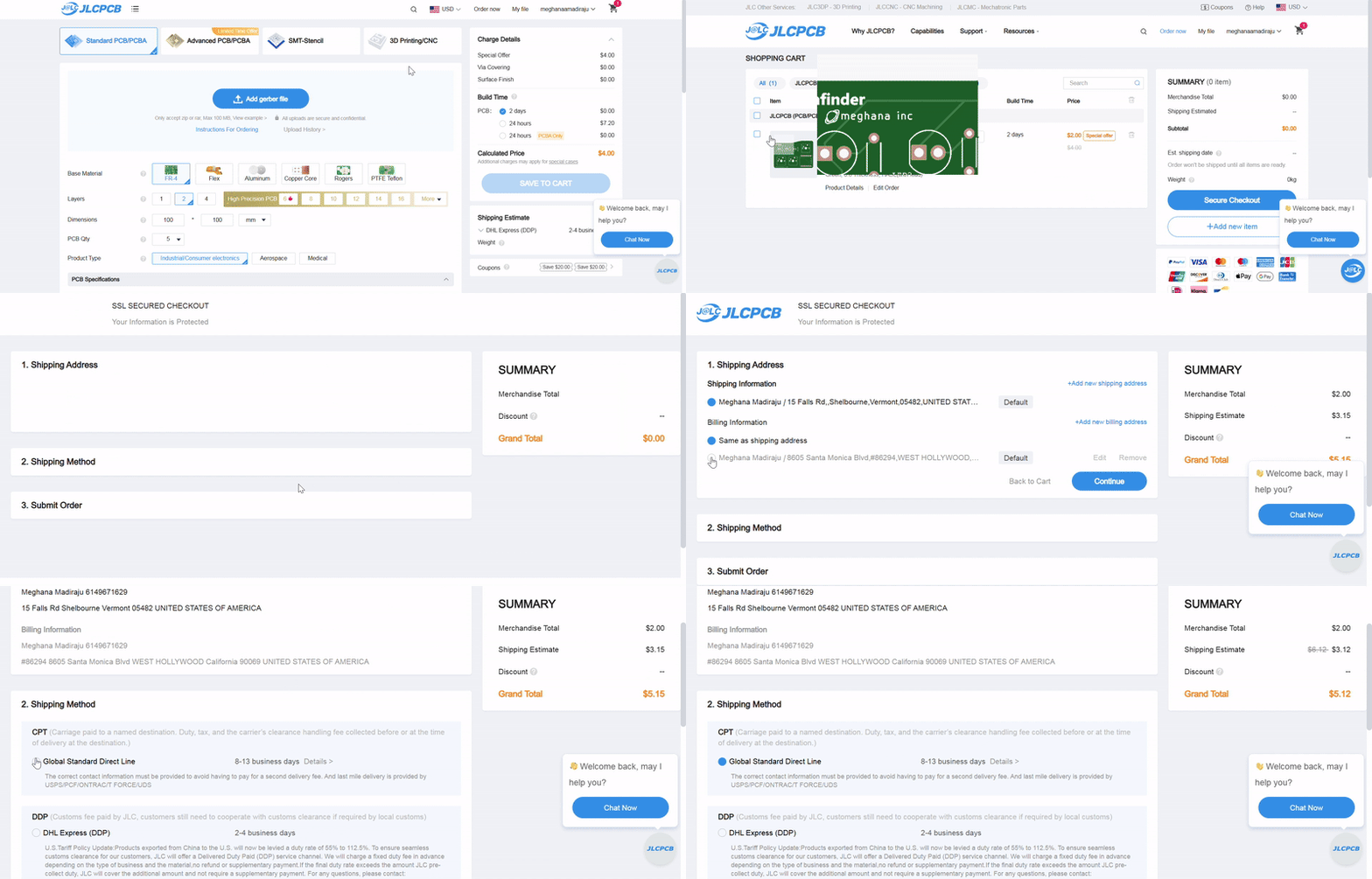
We’re showing you how to buy off JLCPCB. If your total comes out way too expensive, there’s probably a cheaper option for your country , ask in #electronics or #runtime if you need help finding one.
If you’ve never ordered from JLCPCB before and want a more detailed run-through, go to pathfinder.hackclub.com.
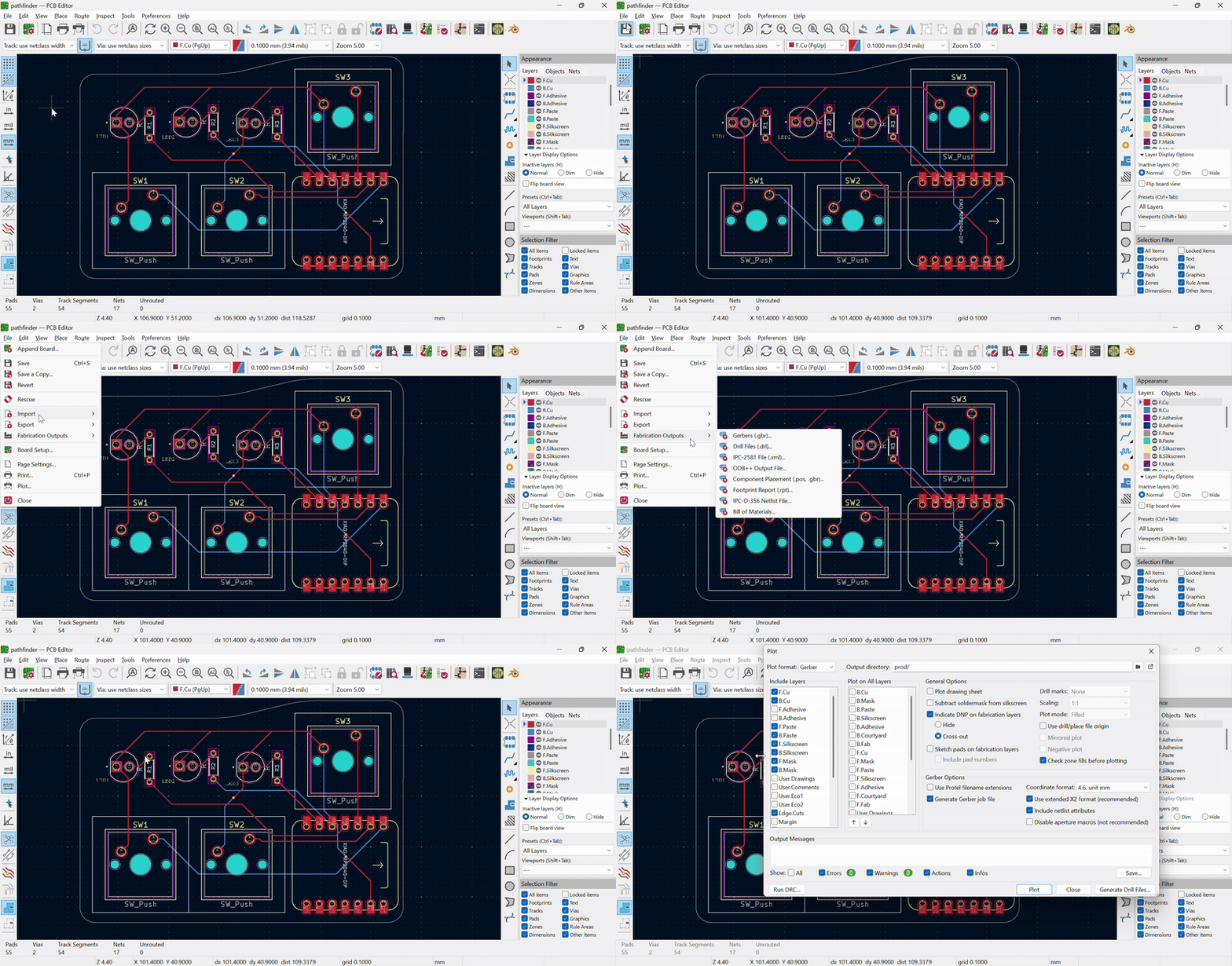
First, get your manufacturing files. Open your PCB Editor, go to File → Fabrication Outputs → Gerbers (.gbr), and hit Plot. Then go to File → Export → Fabrication Outputs → Drill Files (.dril) and generate those into the same folder. Zip the whole folder up.
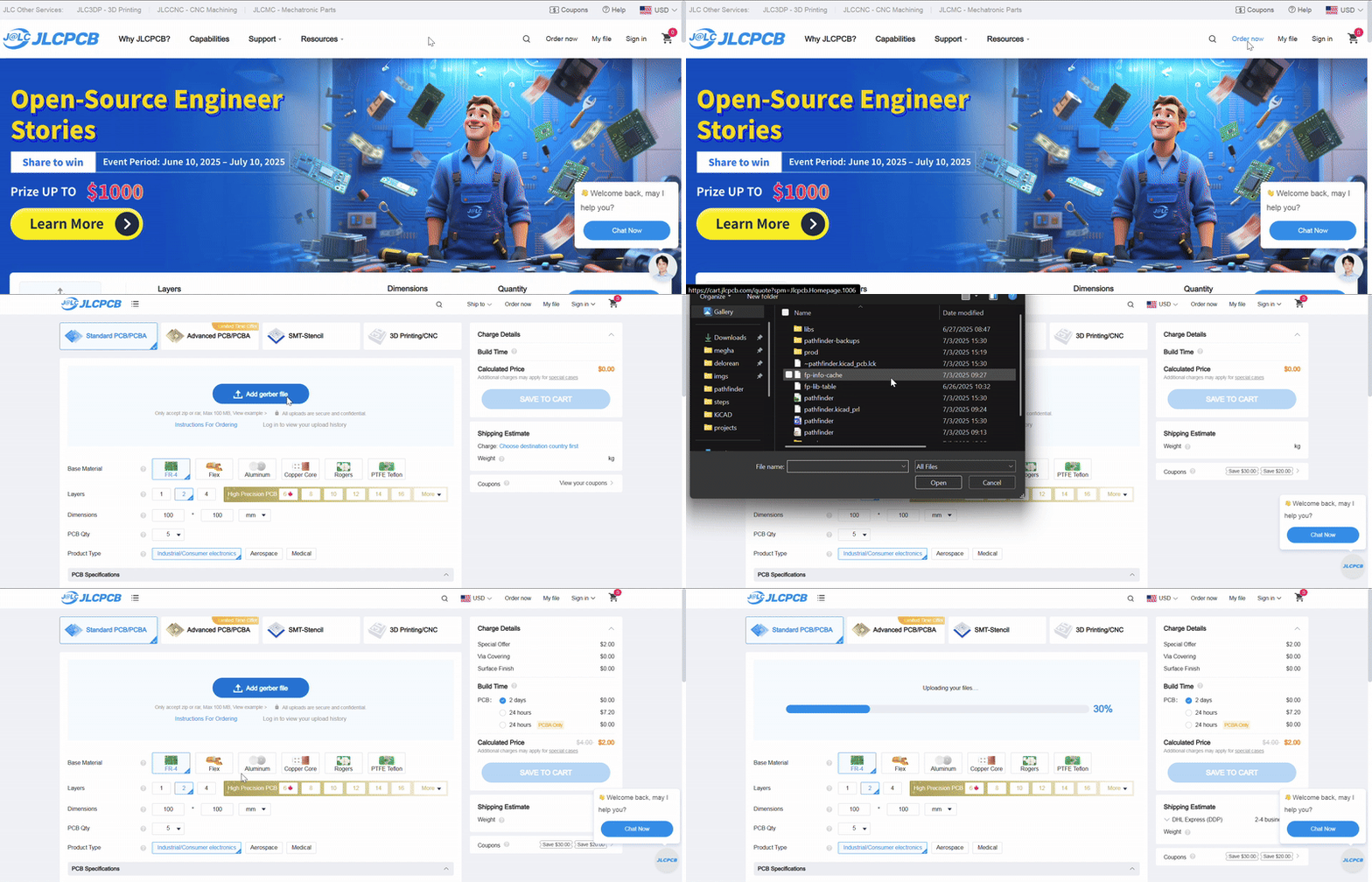
Go to JLCPCB.com, make an account, hit “Order now,” and upload your zip using “Add gerber file.” If a preview of your board doesn’t show up, you probably didn’t generate the right files.
Change your PCB thickness to 0.8mm, it makes the board way cheaper. Changing the color of the board is cool, but the production time will take longer (like 2 more days).
Get the minimum number of boards (5), and if you’re getting PCBA, get the minimum of assembled boards (2).
PCB Assembly
If you have a ton of SMD parts (or parts that are super small and you don’t have a hotplate), you can get JLCPCB to assemble the board for you.
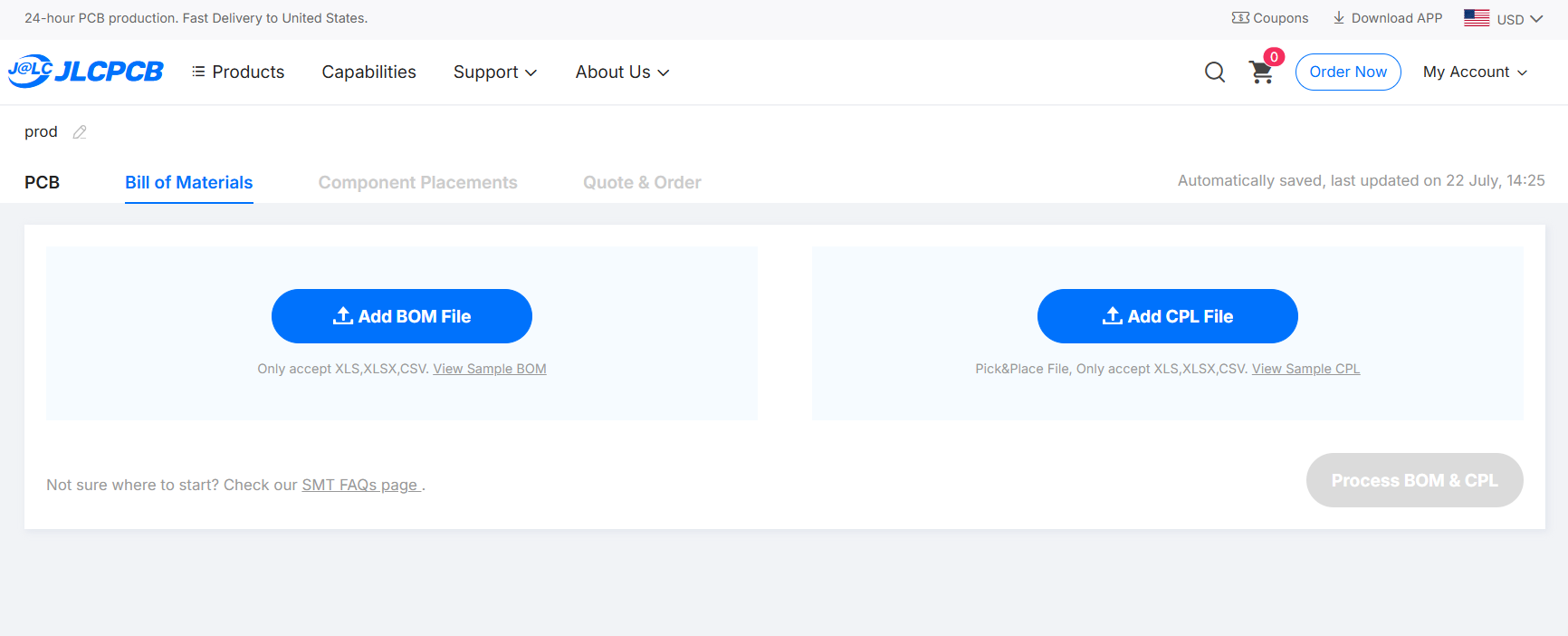
- When setting up your order, opt into PCB Assembly.
- You’ll upload a BOM (bill of materials) and a placement file , a spreadsheet of each part’s designator, X/Y position, rotation, and which side of the board it’s on. KiCAD exports this directly: File → Fabrication Outputs → Component Placement Files.
- Check the rotation on every single part in JLCPCB’s placement preview before confirming.
- Only parts sourced from JLCPCB’s own catalog with Economic or Standard PCBA status can get assembled this way. Anything you’re hand-soldering yourself (headers, switches, breakout boards) should be marked DNP (do not place) or left off the placement file entirely.
A part placed backward (especially your microcontroller or anything polarized) usually means a dead board when it shows up. Zoom into JLCPCB’s placement preview and check every rotation before you confirm the order.
Check out
JLCPCB will make you order 3 non-assembled boards with 2 assembled boards, this is the minimum. When you’re ordering, see if you have any coupons and click the cheapest shipping option.